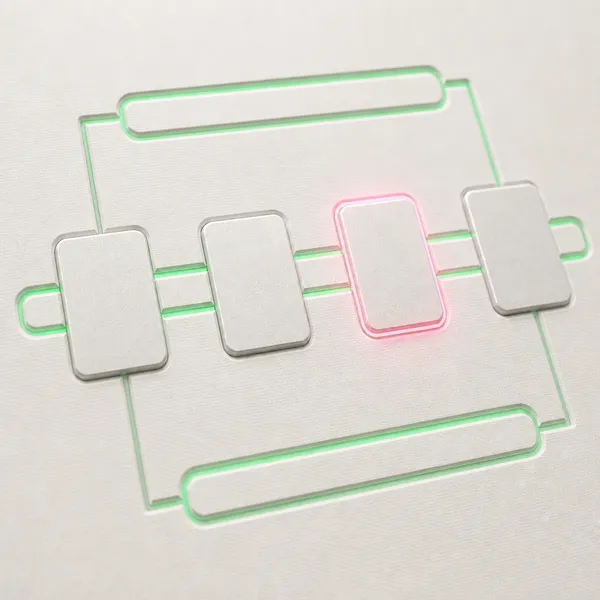
Recognized friction
Manual work repeats, but the exceptions and handoffs are still living in people rather than in a system.
HUB / AUTOMATION
Automation is useful when the trigger, the route, the data, the owner, and the failure path are explicit before the build. This hub covers deterministic workflows — n8n, Make.com, custom integrations, ETL, scheduled jobs — designed as operating infrastructure rather than as one-off productivity hacks. AI may live inside a workflow; the workflow itself is what holds the operation.
HUB SURFACE
The page groups articles, services and decisions around one discipline so the reader can move from context to action without losing the system underneath.
ready
local
review
The route should clarify the next human decision before new implementation work starts.
WHAT THIS DISCIPLINE COVERS
Most automation problems are not about which tool to choose. They are about whether the workflow has explicit ownership, defined trigger logic, exception handling, escalation paths, and reporting that lets a human notice when something stopped running silently. Without that scaffolding, automation tends to drift into shadow infrastructure that nobody owns and everyone depends on.
The hub collects two clusters under the same discipline: business automation for founders and operators (workflow design, ownership, exception handling, build/buy framing) and ecommerce-specific automation (channel coordination, marketplace alerts, inventory and order routing, cross-system data flow). The patterns transfer; the use cases differ.
WHEN THIS HUB IS THE RIGHT READ
Automation is the wrong move when ownership is unclear, when the underlying process is unstable, or when the manual version is doing useful triage that the automated version would skip. Reaching for a tool first tends to ossify the existing mess at higher speed. The hub focuses on the upstream questions: which workflow earns automation, what stays human, and what the failure path looks like.
HUB PRINCIPLE
The deliverable of automation work is shared understanding: trigger, owner, route, failure behavior, recovery. When that understanding is missing, the workflow runs until something changes upstream — and the team only learns the architecture during the incident.
FREQUENTLY ASKED
What is the difference between automation and AI?
Automation is workflow that runs deterministically — same input produces same output through explicit logic. AI introduces reasoning that handles variable input and produces context-dependent output. A workflow that calls an LLM once is still automation; a system that decides what to do based on the model's reasoning is an AI system.
n8n vs Make.com vs Zapier — how to choose?
Zapier wins on simplicity and integration breadth for shallow workflows. Make.com handles complex branching and data manipulation better. n8n wins when self-hosting, version control, or custom logic matter. The decision follows the actual complexity profile of the workflow — match the tool to the shape of the work.
When is custom code better than a no-code tool?
When the workflow has uncommon dependencies, requires version control inside the team's normal stack, has security or compliance constraints that no-code tools cannot meet, or carries enough business weight that vendor lock-in becomes a real risk. For most repeated workflows, no-code or low-code is the cheaper start.
How do you measure if an automation is healthy?
Operational metrics: completion rate, time-to-completion, exception rate, manual override rate, and silent-failure detection time. A workflow that runs daily without exception data is not necessarily healthy — it might be missing the cases that should have failed.
COMMERCIAL BRIDGE
The hub should help a reader avoid premature automation: the process has to be visible before it is moved into tools.
Manual work repeats, but the exceptions and handoffs are still living in people rather than in a system.
Map the workflow, decide what stays human, then build deterministic automation with readback.
The reader can move into automation, AI agents or consulting depending on how clear the workflow is.
HOW ENNPHASIS APPROACHES AUTOMATION
Trigger, data, owner, exception checks, failure paths, and escalation rules — agreed before any tool is chosen. The contract precedes the build.
Implement the workflow at the minimum useful scope, run it against real cases including the edge ones, and instrument for the metrics that surface silent failure.
Leave the team with the architecture written down, the maintenance procedure, and the conditions under which the workflow should be retired or rebuilt.
RELATED SERVICES
Workflow automation engagements: build, integration, exception handling, and operational handover.
When the workflow needs an agent for the parts that require judgement inside the otherwise deterministic flow.
When the upstream question is whether the work should be automated at all, or sequenced differently first.
ARTICLES IN THIS HUB
Workflow design, tool comparisons, build/buy framing, operational patterns — for operators choosing what to automate and how to keep it running.
Articles in this hub are being added. The first batch covers workflow design patterns, tool selection frameworks, and the operational patterns that keep automation working past the demo phase.
DEEPER QUESTIONS
We will shape the route: pattern, system review, audit or no-build decision before anything expands.